Silent Sitter Award Winners
8 Photos
LHCC's Current Officers and Directors
32 Photos
Former LHCC Directors - Gone, But Not Forgotten
12 Photos
LHCC Employees and Other Personalities From Around the Community
19 Photos
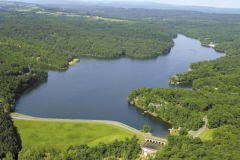
Images From Around the Community, Past and Present
49 Photos
Our Gallery is a collection of images from our video clips and around Lake Holiday. It’s organized into Albums of related images.
Click on an Album to start viewing images, or click the Gallery tab in the upper right to return to the main Gallery page.
To watch a continuously running Slideshow of the images in an Album, click the Slideshow link. You can automatically move to the next image in the Slideshow by clicking on the image itself.
To view an individual image using our Lightbox, click the image you want to view and it will be displayed in our Lightbox. This Lightbox display works on just about all of the images displayed on our site. Once the Lightbox is open, you can move between the previous and next images in that Album by clicking the link in caption area. Alternately, pressing  , the < key, moves to the previous image and
  , the > key, moves to the next image.
To close the Lightbox, click the Close link or press  , the Esc key. Alternately, you can click anywhere outside the Lightbox itself.
The Slideshow will draw on all of the images in an Album, even those not shown on the current page, but moving between images using the Lightbox is limited to images displayed on the current page. To view images on a different page, first close the Lightbox and navigate to the desired page.